How Stock Squirrel works
Stock Squirrel checks the shops for you. You do not need to keep Telegram open or sit watching the Live Radar.
Getting started
How alerts work
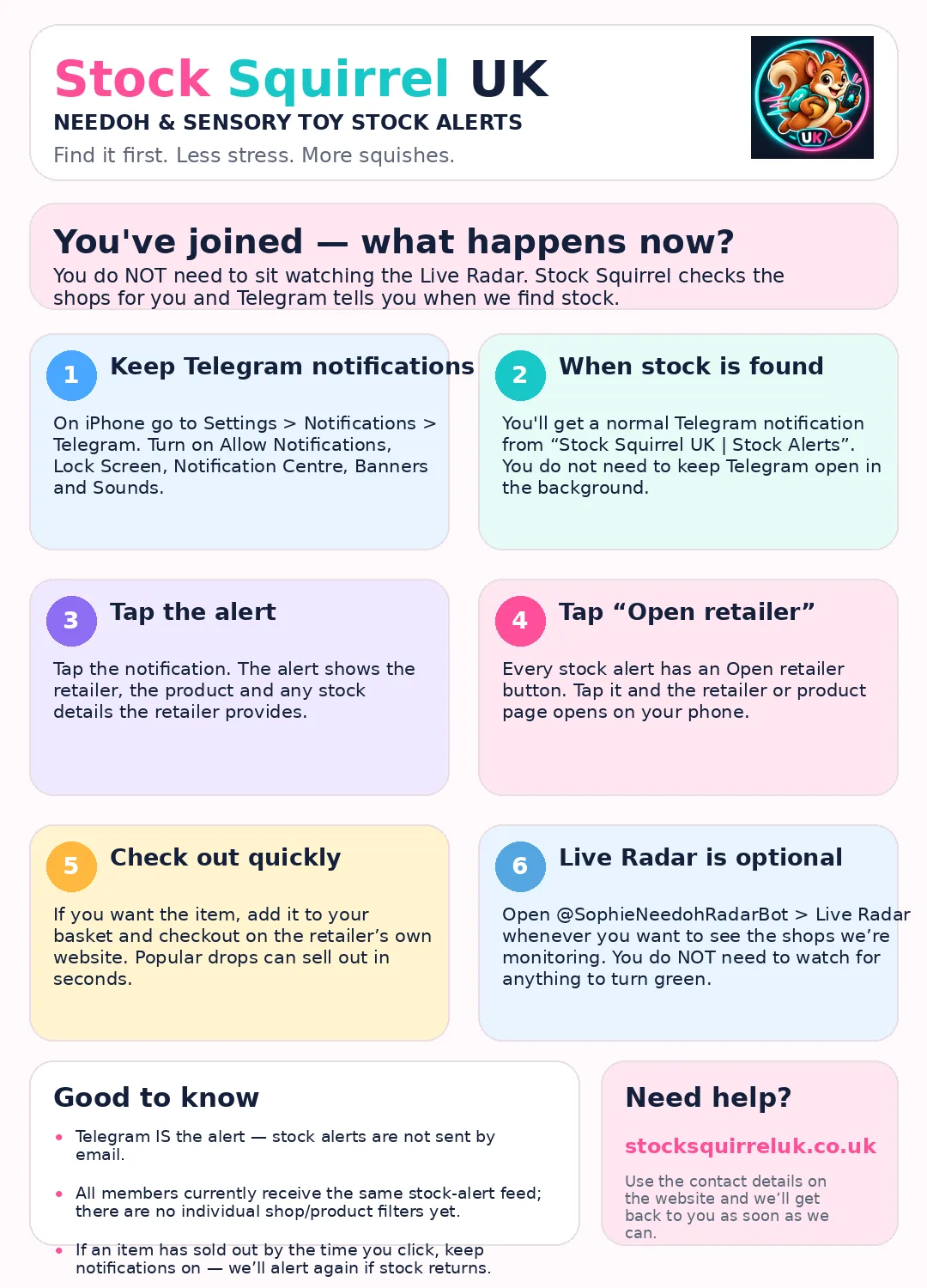
When Stock Squirrel finds new or returning stock, Telegram sends you a normal notification. Tap it to see the retailer, product and available stock details, then tap Open retailer. You buy directly from the retailer's own website.
Popular drops can sell out in seconds. If an item has gone when you click, keep notifications on — we will alert again if it returns.
Telegram notifications
On iPhone, go to Settings → Notifications → Telegram. Turn on Allow Notifications, Lock Screen, Notification Centre, Banners and Sounds. You do not need to leave Telegram open in the background.
Live Radar
The members-only Live Radar is an optional overview of shops, products and current stock results. Internal check timings and technical diagnostics are kept private. You do not need to watch it or wait for anything to turn green — Telegram is the alert.
Already joined? This is what happens next
New to Telegram?
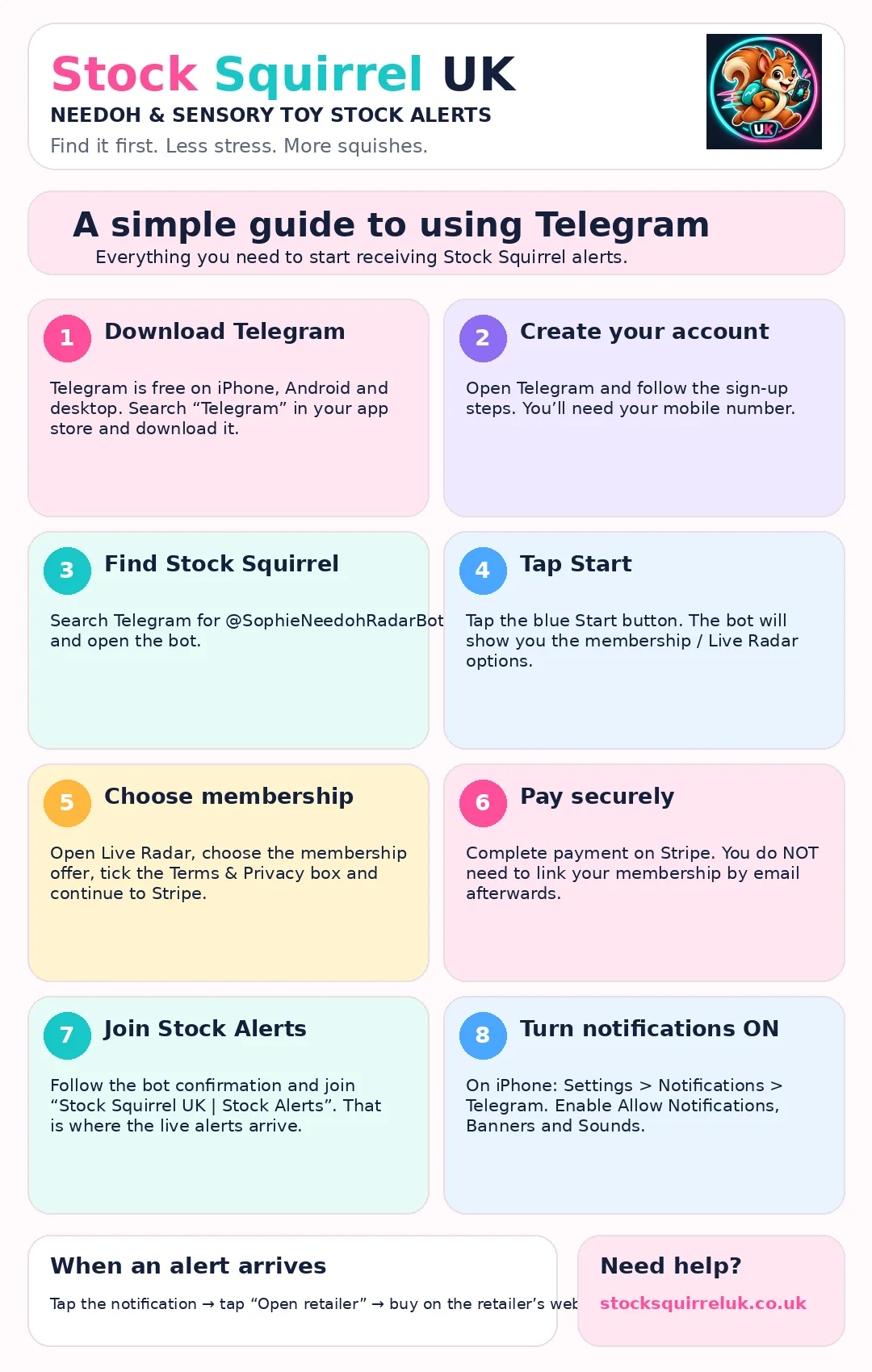
This single guide shows the full setup from downloading Telegram to receiving your first alert.
Membership & payments
Stripe handles payments. Your membership renews monthly until cancelled, and the price is always shown before you subscribe. You can manage or cancel it from the Live Radar or by sending /manage to the bot.
Membership, cancellation and refund information →
Frequently asked questions
Do I need to keep watching Live Radar?
No. Live Radar is optional. Keep Telegram notifications on and Stock Squirrel will message you when stock is found.
Can I choose individual shops or products?
Not yet. All members currently receive the same stock-alert feed, with no individual filters.
Why was an item sold out when I clicked?
Retailer stock can change in seconds and popular drops go extremely quickly. An alert cannot reserve stock or guarantee checkout, but we will alert again if the item returns.
Do alerts arrive by email?
No. Telegram is the stock-alert channel. Email is used only for Stripe receipts, account matters and support.
My private alerts link expired — what do I do?
Send /invite to @SophieNeedohRadarBot. If your paid membership is active, the bot will issue a fresh link. Do not subscribe or pay again.
Email stocksquirreluk@gmail.com.
© 2026 Stock Squirrel UK. NeeDoh and retailer names belong to their respective owners. Stock Squirrel UK is an independent stock-alert service and is not affiliated with the retailers it monitors.